 LumoFind
International selling
Multilingual Shopify search: languages, markets, and prices
Translating the interface isn’t enough. What site search must get right in a Shopify store with several languages, domains, and currencies, and how to check it.
When a Shopify store starts selling abroad, search is usually the last thing anyone reviews. Product pages get translated, markets get activated, domains get connected, and everyone assumes search is “already multilingual” because the box says “Rechercher” on the French domain. Then a customer in Portugal types in Portuguese, gets results with Spanish titles, and sees a price that doesn’t match the product page.
We work with two stores that sell in ten and six languages, with their own domain per country and currencies ranging from the euro to the złoty and the Czech koruna. These are the checks that separate truly international search from merely translated search.
What changes in Shopify when you sell in several countries
Shopify Markets groups countries into markets and lets you assign each one a language, currency, domain or subfolder, prices, and catalog. That means the same product can have, depending on the country it’s viewed from:
- A different title, description, collection, and option names, if the translation is published in that language.
- A different price, either set manually for that market or converted automatically using the exchange rate and rounding rules you configure.
- Different availability: you can exclude products from a market or not sell a specific variant there.
- A different URL: the .fr domain, the /fr subfolder, or whatever combination you use.
A search app for international stores has to respect all four at once. If one fails, the customer notices at the worst possible moment: going from the result to the product page, or from the product page to the cart.
Languages: searching in the customer’s language
The first requirement is obvious and often missed: if the visitor types in Italian, the engine must search Italian titles, collections, and descriptions. Some providers maintain a separate engine per language, each with its own synonyms and settings (Doofinder, for example, creates one for each language in your active markets), while others store all languages in a single index. Both architectures work; what you need to know is how much configuration work each new language adds.
Also ask where the translations come from. Some translation apps store the text inside Shopify, while others serve it from their own servers when the page loads. A search app that reads the catalog from Shopify will only see the former. If your store falls into the second group, results may appear in the original language even though the product page is translated.
Then come the details of each language. Plurals (“reel” and “reels”), accents and letters that mobile keyboards leave out (Spanish “señuelo” typed as “senuelo”), compound words in German, apostrophes in French and Italian. And one rule that has saved us more than one headache: brand names are never translated. A synonym designed for Spanish can break a brand name in another language, so you need to be able to restrict synonyms to a specific language.
Country pricing: the flaw a demo won’t show you
The price on a search result must be exactly what the customer will see on the product page and in the cart: the same currency, the same rounding, the same strikethrough compare-at price if the item is on sale. It sounds trivial, but the search app works with a copy of the catalog, and that copy is calculated at a specific moment.
It happened to us during a migration. Searches in euros matched to the cent, but in złoty, Czech koruna, and lei there were differences of 0.1% to 0.3%: the index had converted prices using another day’s exchange rate. No customer would have complained about 30 cents, but a different price in search and on the product page erodes trust. The fix was to periodically reconcile each market’s prices with Shopify and verify the result with a full export: 9,949 variants across 16 markets, with zero differences.
If you use automatic currency conversion, ask the provider how and how often it updates converted prices. If you set prices manually per market, check that the search app reads those prices instead of converting them on its own from your primary currency.
Availability and catalog by market
A product you don’t sell in Switzerland shouldn’t appear in search for the Swiss market, even if it exists in your main catalog. The same goes for a variant that’s out of stock in just one country. Check at least one product excluded from a market and one that’s out of stock in a secondary market: the first shouldn’t show up, and the second shouldn’t be addable to the cart.
Domains and links: no one should switch stores by accident
Every search link has to lead to the same domain, language, and market the search came from. If a customer searches on the German domain and the result sends them to the Spanish product page, they’ll see another language, maybe another currency, and their cart may not follow them. Check product cards, collection links, and any search suggestions on every domain.
How to check it, market by market
- Pick five searches per language: a category, a brand, a translated product, a typo, and a measurement.
- Open them on each domain or subfolder, in a fresh session so the saved country doesn’t interfere.
- Write down the title of the first result, its price, the compare-at price if there is one, and the URL it links to.
- Open the product page and compare price, currency, and availability with what search showed.
- Add it to the cart and confirm that the currency and amount stay the same.
- Repeat the test after a price or stock change to measure how long it takes to show up.
In stores with many markets, it’s worth automating: export each variant’s price per market from Shopify and compare it with what the search app returns. It’s the only way to go from “it seems fine” to “we know it matches.”
Frequently asked questions
Does Shopify’s native search work in multiple languages?
Yes, it searches the translations published in Shopify and supports more than thirty languages. But it has limits that only show up when you sell abroad: tag and vendor filters only work in the default language, the price filter disappears in any currency other than the primary one, and predictive search only searches the translated title, description, and variant title. We go into detail in our article on what Search & Discovery does well and where it falls short.
Do I need a separate search app for each domain?
No. A good search app should use a single installation and detect each visit’s language and market. What you do need is to check each domain separately, because each one can fail for different reasons.
What should I do if one language has a lot of zero-result searches?
Before creating synonyms, check that the translations for that language are published in Shopify and have reached the index. We walk through the full diagnosis in our guide to zero-result searches.
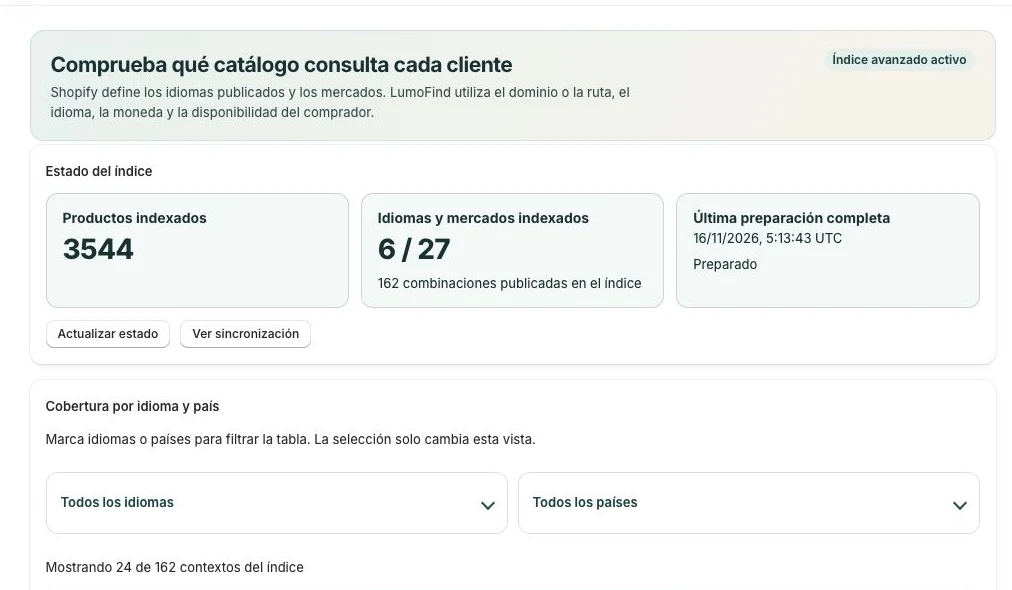
LumoFind was designed with this problem in mind: it detects each visit’s language and market, searches Shopify’s translations, and shows that country’s price and availability. You can see how to set it up in the LumoFind guide.