 LumoFind
Search quality
Zero-result searches: find the cause before adding a synonym
An empty search can be a typo, a sold-out product, a language problem or a genuine gap in your catalog. Each case needs a different fix.
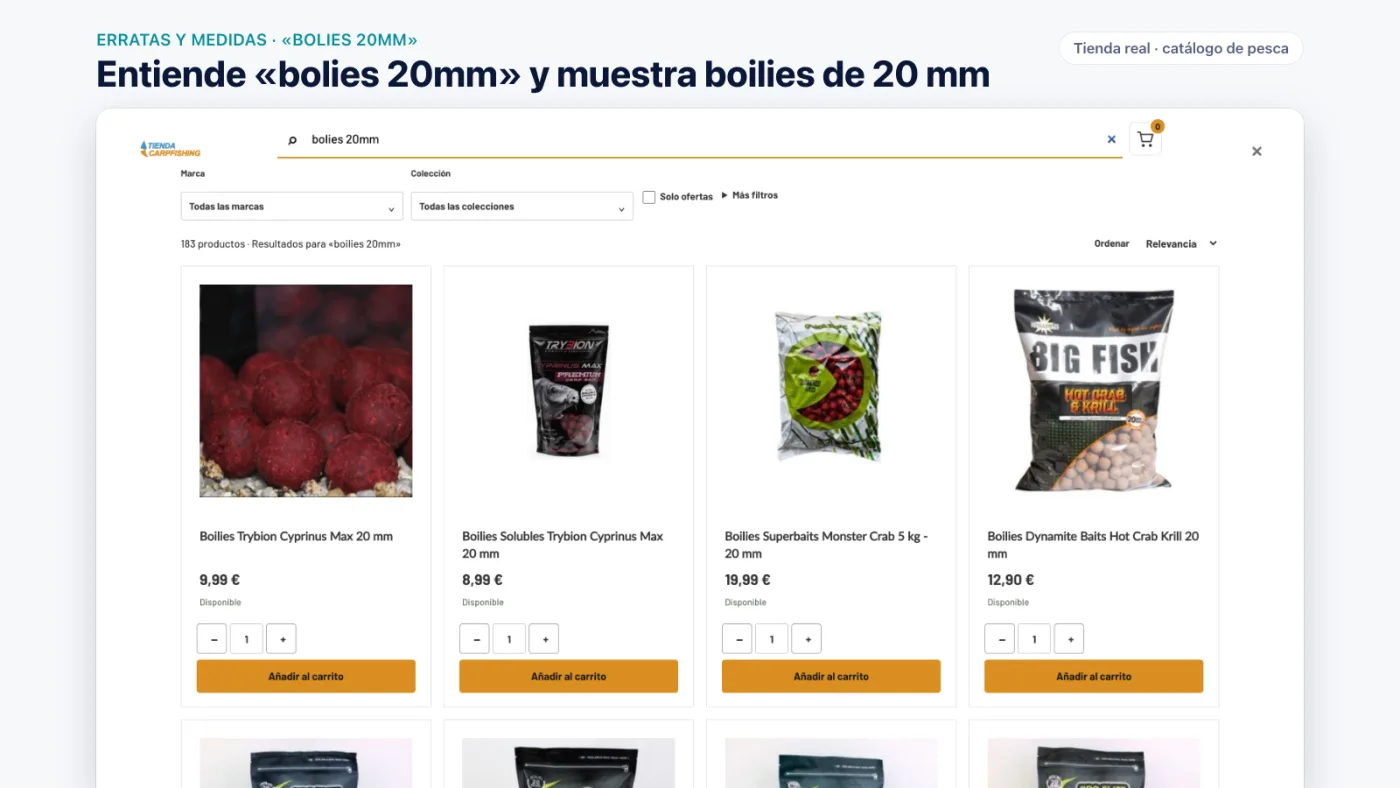
The “no results” metric is useful because it signals friction, but it doesn’t tell the whole story. If someone searches for “boilies peralbaits” and only out-of-stock baits exist, the absence of available boilies may be correct. If they type “bolies 20mm” and the catalog has dozens of 20 mm boilies, the empty result points to an interpretation problem. If they search on the Polish domain and the title only exists in Spanish, a translation is probably missing. Creating one synonym for all three cases at once just adds noise.
Start with a sample, not the percentage
Look at the rate of completed searches with no products over a full period and break it down by language and market. Don’t mix search opens with typed queries: an open with no text isn’t a failed search. See whether the problem is concentrated in one collection or one language. Manually repeat a sample of terms in the same context the visitor used.
If there are only a few cases, don’t draw big conclusions. A 50% rate on two searches means a single empty search. First check volume, then pattern, and finally specific cases. The LumoFind dashboard works with aggregated signals and consent; you don’t need an identified shopper history to discover a family of failures.
Classify the cause before fixing it
When to use synonyms and when to use rules
A synonym solves vocabulary: two expressions that shoppers and the catalog use for the same concept. For example, “waders” and a regional variant, as long as in your store they truly refer to the same kind of product. A rule solves intent or hierarchy: “bivvy” should show complete bivvies before pegs and groundsheets; “batteries” can be restricted to the batteries collection.
If a term has several meanings, avoid a global synonym. Apply a rule limited to the phrase, language, or collection. Review the affected results with and without the intervention. The best test is a small set of related queries: improving “bivvy” shouldn’t make “bivvy groundsheet” worse.
If you decide to create synonyms, first read how to set up synonyms in Shopify so you don’t break searches that work today.
Learning can suggest related terms or gaps based on aggregated patterns. Treat it as an editorial inbox: approve, adjust, or dismiss. Your catalog changes; a suggestion that was useful in November may stop being useful when a new brand arrives or a product line sells out.
A weekly process that fits in half an hour
- Pick a period of seven full days and review completed searches by language, without mixing in test traffic.
- Identify three recurring groups: typos, measurements, and categories. Leave one-off queries that are hard to interpret for later.
- Reproduce each group in the store and note the first result, not just the total.
- Check the availability and publishing status of the products you expected to find.
- Make only one change per cause: a translation in Shopify, a synonym, a rule, or an editorial recommendation.
- Test the corrected query and two related queries on mobile. Watch the next full period before attributing any effect.
The goal isn’t to bring the percentage down to zero. “No results” can be the honest answer for something you don’t sell. The goal is that the products you do carry and can sell aren’t hidden by a letter, a translation, or a misplaced accessory. See the LumoFind guide to apply these fixes from the dashboard, and the measurement guide to check whether they helped.